How it works
Practise with a teacher by your side, whenever you like
Every exercise is a short lesson with Vincenzo: he plays, you follow the notes, then it’s your turn. Scroll to see one exercise from start to finish.
Inside every exercise
- 1
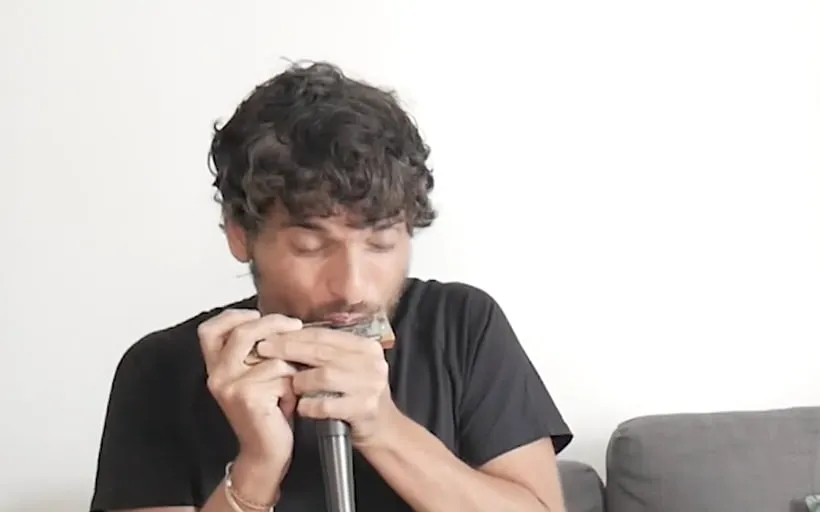
Vincenzo plays it first
Every exercise starts with Vincenzo playing the phrase on video, so you hear the sound, the timing and the feel before you play a note.
- Watch his hands and listen to the tone
- Replay it as many times as you like
- 2
Follow the notes
While it plays, the same note lights up in three views. Start with tabs, see where each note lives on the harmonica, and pick up the score along the way.
- Tabs: teal to blow, blue to draw
- Harmonica map: every hole and bend
- Score: learn to read as you play
- 3
Then it’s your turn
A count-in, and you play the phrase back. Too fast? Slow it down. One bar keeps tripping you up? Loop it. Turn the backing track up or the metronome down.
- Speed from 0.5× to 1×
- Loop the hard bar
- Mix harmonica, backing track and metronome
- 4
Watch it add up
Finish the exercise and your dashboard counts it: exercises completed, your streak, the days you practised and how far you are in each level.
Demo of the practice player: Vincenzo plays the opening of Mary Had a Little Lamb, each note lights up in the tabs and on the harmonica, then it is your turn to play it.
Everything in the app
Video lessons
Vincenzo plays every exercise first, so you see and hear how it is done.
Tabs
Hole numbers in teal for blow and blue for draw, filling as each note plays.
Harmonica map
Every hole and bend of your harmonica, with the note being played lit up.
Score
Sheet music with a moving highlight, to learn to read music as you play.
Count-in
A count before every phrase, so you come in on time.
Speed control
Slow down to 0.75× or 0.5×, then build back up to full speed.
Loop
Repeat the hard part until it sits under your fingers.
Backing track and mixer
Balance the harmonica, the accompaniment and the metronome.
Progress dashboard
Exercises completed, streaks, practice days and progress by level.
Diatonic and chromatic
Courses for both harmonicas, from beginner to advanced.
Any device
Works in the browser on computer, tablet and phone. Nothing to install.
Light and dark
Practise in a light or dark theme, or follow your device.
Getting started
- 1
Create a free account
Tell the app which harmonica you play: diatonic, chromatic or both.
- 2
Pick a course
Start at the beginning, or jump to the module you need.
- 3
Practise a little every day
A few short exercises a day go a long way.
What you need
A harmonica
A 10-hole diatonic in C, or a 12-hole chromatic in C.
A screen
A computer, tablet or phone with an up-to-date browser.
Headphones
Recommended, so you hear the backing track while you play.
A few minutes
Exercises are short, so they fit into any day.
Do I need to read music?
Can I use it on my phone?
How long is an exercise?
Where do I start?
Pick up your harmonica and play your first note today
Create a free account and try a few complete exercises with Vincenzo.